CCC TechConnect manages all Zoom accounts for California Community Colleges, including Taft College. As Zoom usage continues to grow, the storage capacity for Zoom cloud recordings is quickly filling up.
To manage this limited space and ensure continued service, CCC TechConnect has implemented a new statewide Zoom Recordings and Transcripts Retention Policy.
Starting October 2, 2025, older Zoom recordings will begin to be automatically deleted according to a set schedule. Faculty and staff must take steps to preserve any important recordings before they are permanently removed from Zoom cloud storage.
Read on to learn about the key dates, what actions you need to take now, and options for long-term storage for your Zoom recordings and transcripts.
Deletion, Procedure and Schedule
Effective October 2, 2025
Key Dates to Know
Manage your Recordings
In order to preserve any of your existing recordings, we recommend taking the following steps.
Steps to download your recordings from Zoom
- Open the Zoom App on your desktop
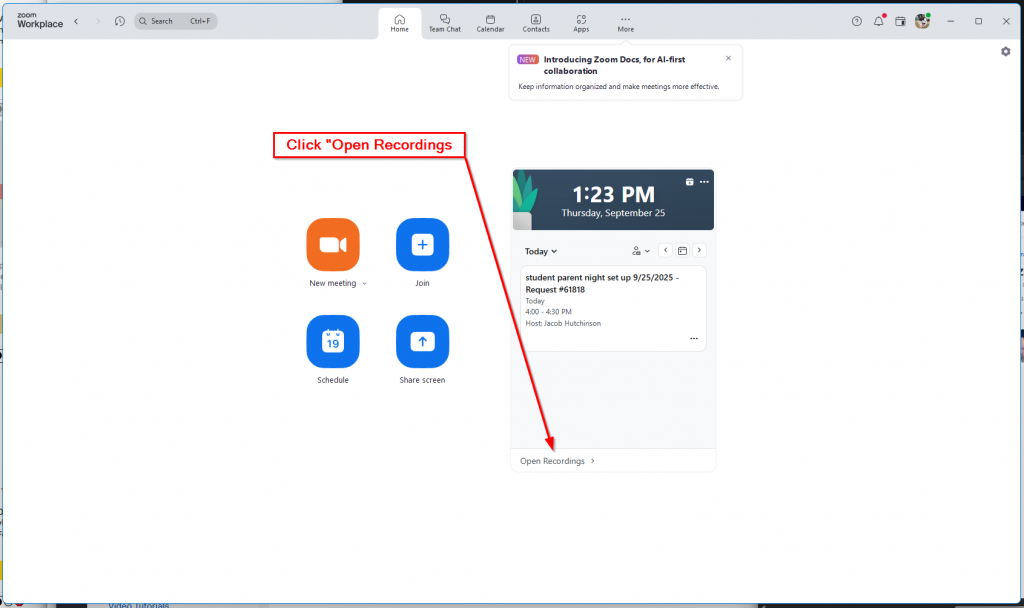
- On the Zoom Workplace Dashboard, click Open Recordings.
- Click on the ‘Share’ button next to the recording you’re wishing to download.
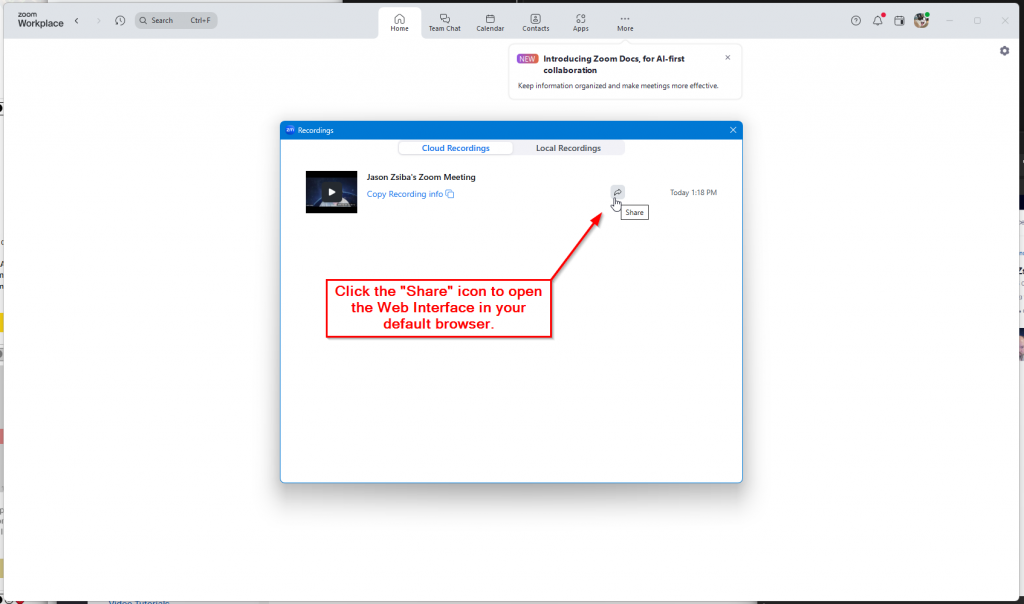
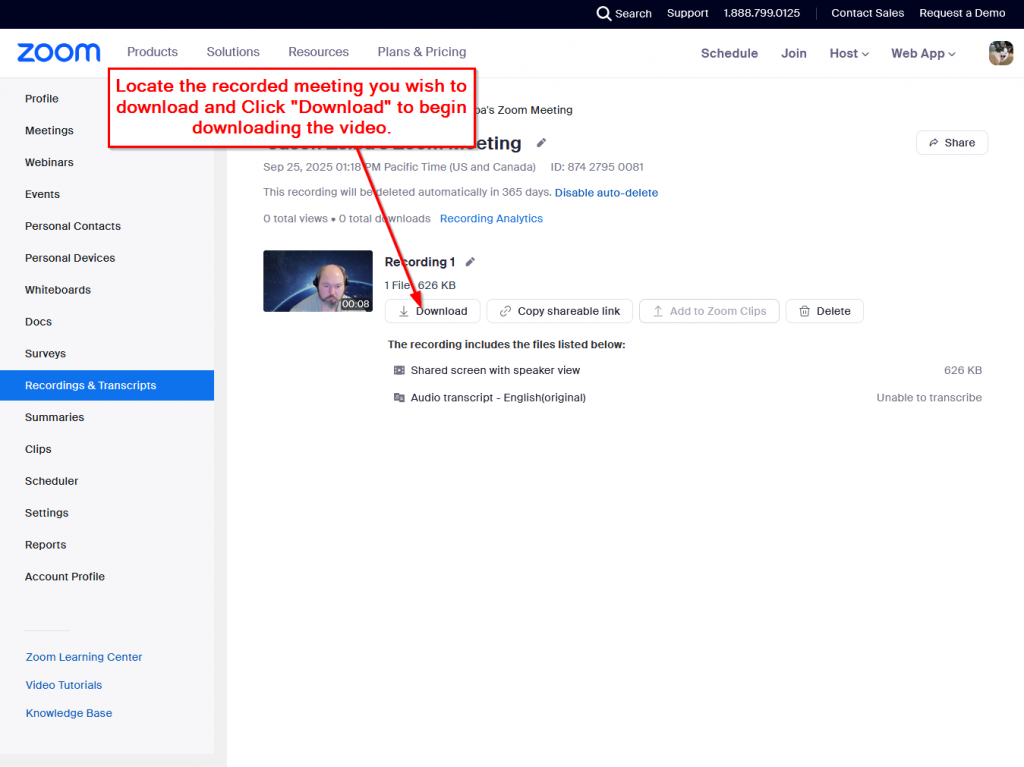
- Upon Clicking the ‘share’ button, the web interface will open in your default browser. Browse to your recording and click the ‘Download’ Button.
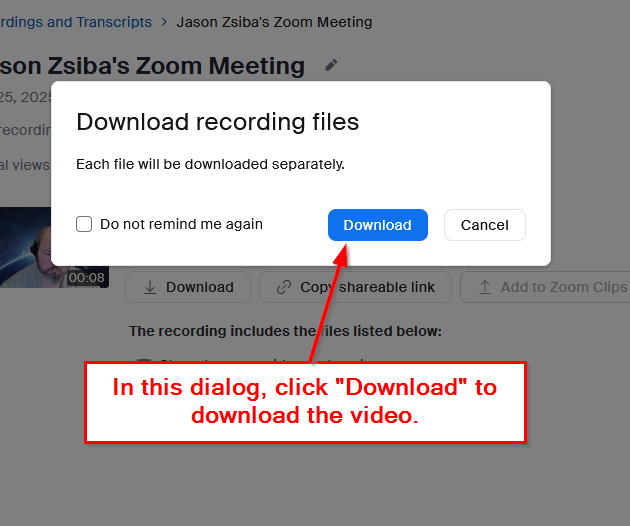
- In the download dialog box click download. Some recordings may contain multiple files, if this is the case you may need to select the checkbox to download all files.
The CCC TechConnect site has a detailed article on how to upload and share your files via 3Cmedia.